Self-Serve CLM in 2026
Self-serve CLM, also written self-service CLM, is contract lifecycle management software you can sign up for and start using without booking a demo. The test is simple: does a public button lead to account creation, or to a contact form?
Note that "self-serve" means two different things in contracting. This page is about buying the software without a sales process. The other sense, letting your own sales and HR colleagues generate contracts without emailing legal each time, is covered in how to make business users self-serve contracts.
We checked twenty-three products against that test on 14 September 2026, reading each vendor's own pricing page and trying each signup ourselves. Six let you sign up. Two are partial. Fifteen want a conversation first, and most of those will not tell you the price either.
The sharper finding is inside that first six. Only two of them sell you an actual contract platform. The rest sell a signature tool or an AI assistant that reads contracts you keep somewhere else, while the contract platform from that same company publishes no price and still needs a demo. On a pricing page those look identical.
Being cheap and being easy to buy turn out to have almost nothing to do with each other. Docusign IAM Standard costs $50 per user per month and takes a card today. Juro, a modern mid-market platform, will not tell you what it costs at all. And Concord lists three full price tiers starting at $499 per month, then gives you no way to actually sign up for any of them.
Why we publish this
We build Bind, which is one of the products below, so read this knowing we are in the category we are describing.
We publish it because every other comparison, our own pricing guide included, sorts by price, and price is not what blocks people. What blocks people is a multi-week evaluation for software they wanted to try on a Tuesday afternoon. Nobody was mapping that, so we did, and we put ourselves in it on the same terms as everyone else, including the part where our own marketing site hides the signup button.
Every figure below was read from the vendor's own page on 14 September 2026. Where a vendor publishes no price, this page says so rather than reprinting an estimate from a review site.
The four ways vendors sell this
Sign up, get the whole platform
Somewhere contracts live, get drafted, reviewed, signed and stay findable. You can be working in it the same day. Bind and Oneflow.
Sign up, but not for the CLM
What sells online is a signature tool or an AI assistant that reads contracts you store elsewhere. Useful, but not the platform. Docusign, Agiloft Astra, Oro.
Half open
The free or entry plan is self-serve; the tier you actually want sends you to sales. PandaDoc, ContractSafe.
Closed
A conversation before anything else, and usually no price either. Ironclad, Icertis, ContractPodAi, Juro, Summize, SpotDraft, Conga, LinkSquares, Tomorro, LegalFly, ContractWorks, Agiloft CLM, Docusign CLM, plus Concord and Zefort, who publish prices but still will not sell to you.
Two vendors, and only two, let you sign up and get an actual contract platform: somewhere contracts live, get drafted, get reviewed, get signed and stay findable afterwards. Everything else in the self-serve group sells you one piece of that while keeping the platform behind a demo.
These two are not ranked. They suit different situations, and the difference that matters most is when you have to pay.
Almost every vendor here defaults its pricing page to annual billing, and the monthly rate is higher. Bind is $90 per seat per month on annual and $108 monthly. Zefort Team is €995 on yearly and €1,195 monthly. Both are about a fifth more to pay monthly. Docusign is a third case worth knowing: its prices read "Annual | Billed monthly", which is a year's commitment paid in instalments rather than a monthly plan at all.
Bind
Best for: In-house teams who want drafting, review and negotiation in one place from day one
Pricing: Starter $90 per seat per month on annual, $108 monthly. Business $500 per month on annual, $600 monthly, five users included.
Our product, so weigh this accordingly.
What you use it for. Drafting and negotiating contracts with redlining, AI review and search across everything you have stored, playbooks and templates that hold your positions, and eSignature. The pitch is that you describe the job and agents do it against your rules, rather than you configuring a workflow first.
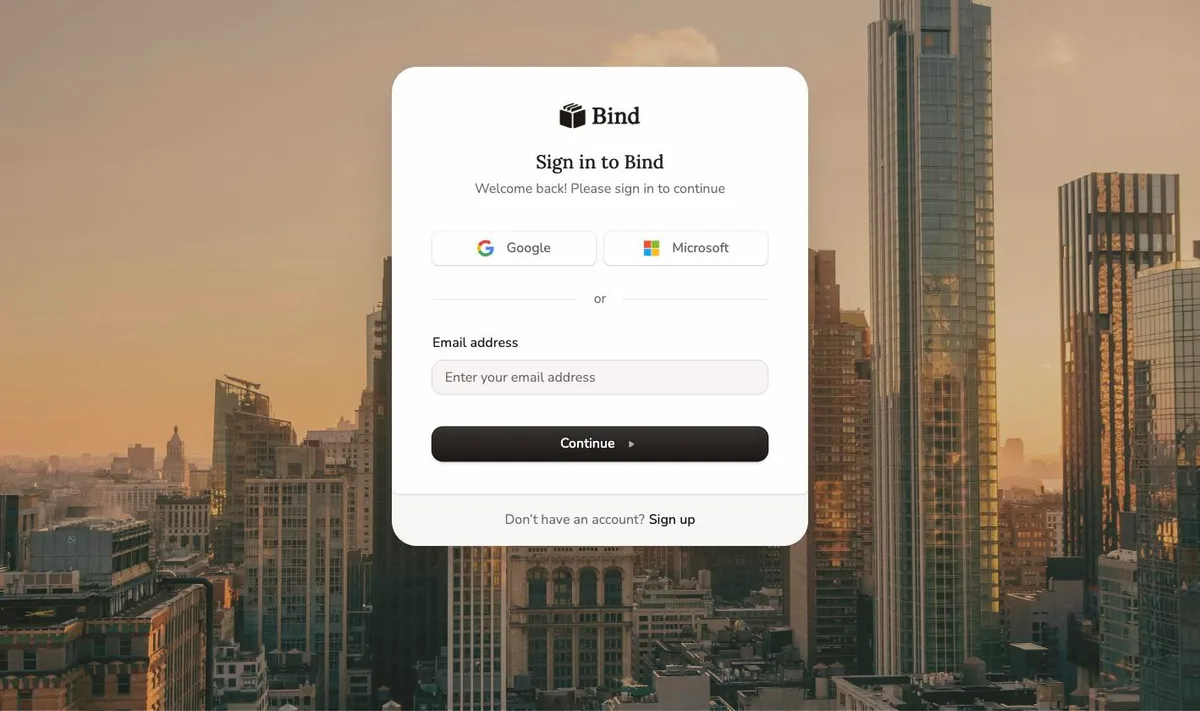
What signup actually gets you. app.bindlegal.com takes Google, Microsoft or an email address and password. No card, no demo, no invite code, no waiting list. Every tier carries the same feature set, so you are not choosing between a cut-down version and a real one.
Where the limits are. Tiers are drawn on volume, not features. Starter is one to four users, 200 contracts stored and 50 eSignatures a month. Business includes five users, 2,000 contracts and 500 eSignatures. If you are migrating a large back catalogue, count it before you pick.
The catch, and it is a real one. Creating the account is free, but you have to subscribe before you can do much of anything with it. There is no free tier and no trial, so the moment you want to put a real contract through Bind, you are paying. That undercuts a good part of what self-serve is for: you cannot quietly try it on your own paper for a fortnight and decide, and you cannot put it in front of your team before committing budget. Oneflow can do both.
On reviews, for what little it is worth. Our G2 listing shows 5 out of 5, from two reviews. Two reviews tell you nothing, and we would rather say that than put the number next to Oneflow's 4.4 from 372 as though they were comparable. Check back when there are enough of them to mean something.
The honest problem with our own site. You would never know any of this from bindlegal.com. Every button on it asks you to book a demo, and the pricing page does not mention that you can simply sign up. That is a marketing failure on our side rather than a product one, and it felt dishonest to write this article without saying so.
Source. bindlegal.com/pricing
Oneflow
Best for: Contract volume spread across sales, HR and procurement, sitting close to a CRM
Pricing: Business from €50 per user per month, billed annually, five-user minimum. $58, £45. Enterprise custom, ten-user minimum.
What you use it for. Oneflow calls contracts "your operating system" and means it fairly literally: a searchable repository with clause and obligation tracking, approval workflows and permissions, live editing with inline comments, eID signing, a template library, and integrations with more than thirty business systems including Salesforce and HubSpot. It is built for contracts flowing through several departments rather than sitting with legal.
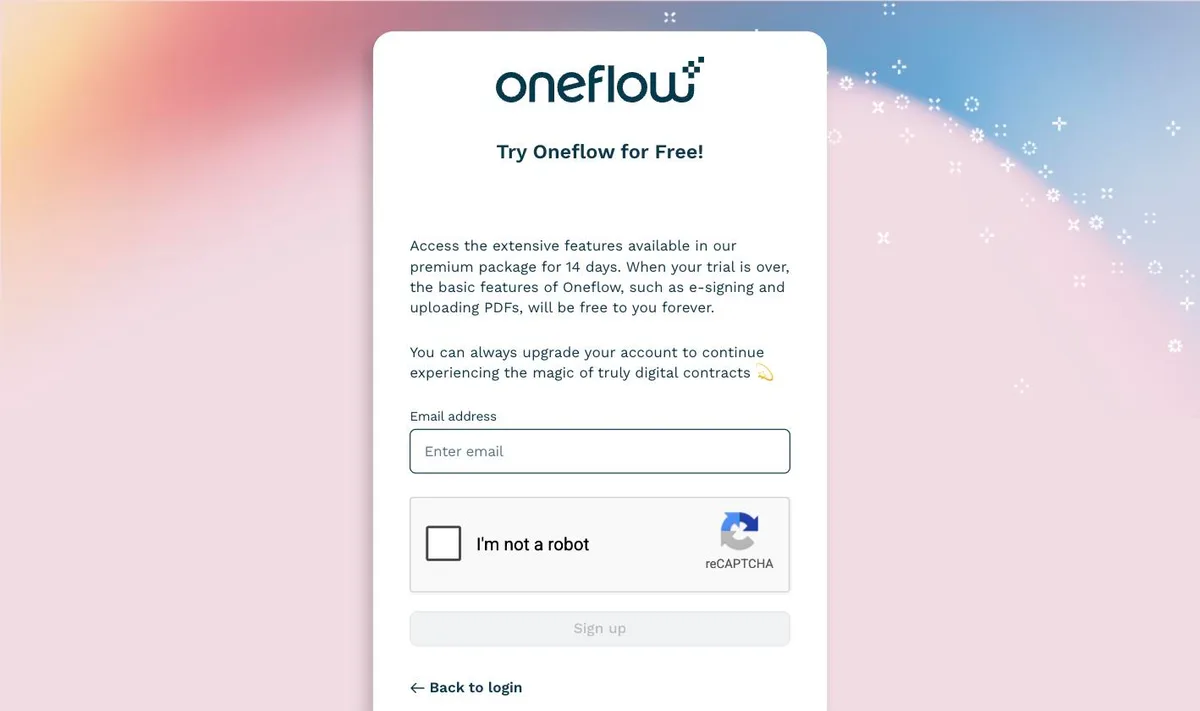
What signup actually gets you. Fourteen days of the full platform, no credit card. Their signup page puts the after-trial position plainly: when the trial is over, basic features such as e-signing and uploading PDFs "will be free to you forever". So there is a persistent free tier, even though the pricing page never mentions one.
Read the tier line carefully. The self-serve Business tier gives you Write with AI, AI Extract and AI Summary. AI Review and AI Insights are Enterprise, along with SSO, SCIM, shared templates and user groups, and Enterprise is a custom quote with a ten-user minimum. So the AI review capability is not something you can buy online here.
What users say. 4.4 out of 5 from 372 reviews on G2, where the most repeated praise is ease of use and an intuitive interface. The most repeated complaints are missing features and limited customisation in templates. That is a real body of evidence, and it is the main thing Oneflow has that Bind does not.
One detail that cuts the other way: G2 files Oneflow under E-Signature Software, and files Bind under Contract Lifecycle Management. Take that for what it is, a categorisation rather than a verdict, but it matches where each product's weight sits.
Source. oneflow.com/pricing and G2
Self-serve, but not for the CLM
This is the trap in the category, and it is easy to fall into when you are scanning pricing pages. Three vendors here sell something online that looks like self-serve contract software and is not: a signature tool, or an AI assistant that reviews documents you keep somewhere else. Each is worth buying on its own merits. None of them is a way into that vendor's contract platform, which in all three cases publishes no price and needs a demo.
Docusign IAM
Best for: Getting things signed, when a CRM or CLM already holds the contracts
Pricing: IAM Starter $45 per user per month. IAM Standard $50 per user per month, three-user minimum. eSignature from $11 per month.
What you use it for. Signing, routing and tracking agreements, plus the agreement management layer Docusign wraps around that. What it is not is a contract lifecycle platform: Docusign CLM is a separate product, publishes no price, and requires a conversation.
The numbers. IAM Starter is $45 per user per month, shown as an annual commitment of $540. IAM Standard is $50 per user per month with a three-user minimum, which the page works out as $150 monthly and $1,800 a year. IAM Professional is $80 per user per month, again with a three-user minimum. Enterprise is a quote.
Plain eSignature is cheaper and equally self-serve: Personal $11 per month with five envelopes a month, Standard $30 per user per month, and Business Pro $45 per user per month, the last two carrying 100 envelopes per user per year and a fifty-user ceiling. Above fifty users you talk to someone.
Watch for. Every price on both pages is labelled "Annual | Billed monthly". You commit to a year and pay in instalments. That is not a rolling monthly plan, and it is not comparable to the monthly rates other vendors quote.
Source. ecom.docusign.com IAM plans and eSignature plans
Agiloft Astra
Best for: Reviewing and redlining in Word, and asking questions across contracts you already hold
Pricing: Free $0 for 1,000 credits per month. Pro from $120 per month for 2,500 credits.
What you use it for. Astra reviews and redlines inside Microsoft Word and runs portfolio-level analysis in the browser: risk spotting, playbook consistency, and plain-language questions across a set of contracts. It reads your contracts. It does not store or manage them, so it sits on top of whatever repository you already have.
What the free tier actually gives you. 1,000 credits a month with no time limit, up to three custom playbooks, and unlimited review and redlining in Word that costs no credits at all. Credits are spent on analysis: extracting terms, answering questions, comparing across a portfolio. Pro starts at $120 a month for 2,500 credits, with 5,000, 10,000, 20,000 and 40,000 credit tiers above it, each showing its price once you select it.
Important distinction. Astra is not the Agiloft CLM platform, which publishes no price at all. Astra's own FAQ says Agiloft CLM customers get Astra through the "AI on the Inside" package rather than through this free tier. If you have read somewhere that Agiloft has a free tier, this is it, and it is not the CLM. For the wider set of genuinely free options, see our roundup of free contract management software.
Source. agiloft.com/platform/astra
Oro
Best for: A lawyer's daily drafting and research assistant, rather than a system of record
Pricing: Starter free, 20 credits per month. Pro from €50 per month for 100 credits. Business custom.
What you use it for. Oro describes itself as "your AI legal agent, every day". It drafts contracts, clauses, briefs and letters, reviews documents for risk and consistency, holds negotiation playbooks, and does legal research across what it says is 190 or more jurisdictions and over 35 million case-law decisions. That research reach is the part that has no equivalent anywhere else in this article.
What it is not. A repository. Oro is an assistant you bring documents to, not a place contracts live. Tomorro, the CLM from the same company, publishes nothing and needs a demo.
The pricing is unusually honest. Pro starts at €50 a month for 100 credits, with a slider to take it higher. Billing is monthly with no annual toggle anywhere on the page, so the listed price is the real one rather than a discounted annual rate, which is rare in this group. Business is custom, carries unlimited credits and per-seat pricing, and is paid by wire transfer rather than card.
Source. oro.legal/en/pricing
Partial: self-serve until the tier you actually want
PandaDoc
Best for: Document workflow and e-signature at the entry tier
Pricing: Free $0. Starter $19 per seat per month, billed annually. Business $49 per seat per month, billed annually. Enterprise custom.
Free and Starter are genuinely self-serve. Free says "Sign up for Free", needs no credit card and includes 60 documents a year. Starter at $19 a seat says "Start a free trial", also with no card. Business at $49 a seat, the tier most teams end up wanting because it carries the approval workflows, says "Request a demo". Enterprise is "Let's talk" and "Get a quote". Both published prices are billed annually.
So PandaDoc is self-serve for evaluation and sales-led for purchase, which is a reasonable design but not the same thing as buying without a demo.
Source. pandadoc.com/pricing
ContractSafe
Best for: Repository-first buyers who know their contract count
Pricing: Priced by contract volume, prepaid annually. Organize from $450 a month, Finalize from $660, Maximize from $815. Unlimited users on every plan.
Structurally different from everything else here: every plan includes unlimited users and the price is driven entirely by how many active contracts you hold. Three tiers, all prepaid annually, all starting at the 100-contract rung: Organize at $450 a month, Finalize at $660, Maximize at $815. A selector on the page steps the price up through higher volumes to 10,000 or more.
If you have 20 people who need occasional access to 300 contracts, unlimited users at a volume price beats per-seat pricing decisively. If you have three people and 8,000 contracts, it does not.
Watch for. There is a free trial but it is manually approved rather than instant, so treat it as a request rather than a signup.
Source. contractsafe.com/pricing
Publishes a price, still will not sell to you
This is the category buyers misread most often, so it is worth naming on its own.
Concord
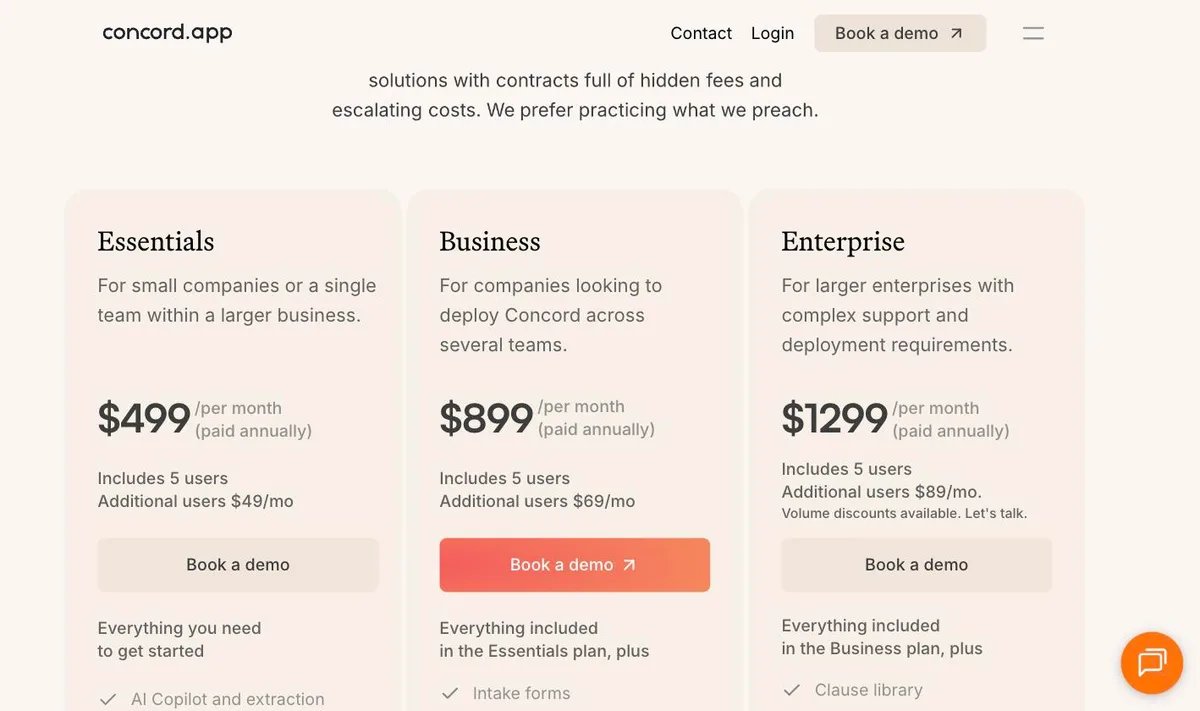
- Essentials $499 per month, paid annually
- Business $899 per month, paid annually
- Enterprise $1,299 per month, paid annually
- Every tier includes 5 users, 5-user minimum
- Additional users $49, $69 and $89 per month
- No registration page anywhere on the site
Zefort
- Team €995 per month on yearly billing
- Enterprise €1,995 per month
- Enterprise Plus €3,995 per month
- Monthly billing runs €1,195, €2,395 and €4,795
- Team covers 5,000 contracts, 4 admins, 16 users
- Self-signup disabled, the old trial page now redirects
Concord is the clearest case in the whole study. Its pricing page is complete and specific, every tier and every additional-user rate. And every one of the six buttons on it points at the same place, /request-demo/, including the one sitting under the heading "Get started".
There is one odd detail. Their own FAQ asks "Do I have to provide a credit card to start a free trial?", and yet no link anywhere on the page leads to a trial. We went looking across the rest of the site too and found no way to create an account.
Zefort is the near miss. Its free-trial page is now a 404, every call to action on the site including the ones labelled "Get started" routes to the same demo booking page, and its sign-in screen asks for an email with no way to register from there. Two things to catch on the numbers: the prices exclude VAT, and there is a separate €1,995 onboarding fee on top of the subscription.
Sources. concord.app/pricing and zefort.com/pricing
No published price at all
Thirteen products, each checked individually: Ironclad, Icertis, ContractPodAi, Juro, Summize, SpotDraft, Conga, LinkSquares, Tomorro, LegalFly, ContractWorks, Agiloft's CLM platform and Docusign CLM.
Two details worth having before you go looking.
ContractWorks used to publish a broken price and now publishes none. Earlier in 2026 its pricing page named three tiers and showed "Starting at", a dollar sign and then nothing where the number should be. As of 14 September that page has gone: both /pricing and /contract-software-pricing return 404, and no pricing page exists anywhere on the site. The footer now reads "© 2026 Onit Inc.", so it is an Onit product rather than an independent vendor.
It does run a 14-day free trial, but reaching it means filling in first name, last name, email, company, job title, phone number and country. That is a lead form, not a signup, which is why it sits here rather than in the self-serve group.
LegalFly has no pricing page at all, not even an empty one: the URL returns a 404. Icertis is the same. There is simply nothing to look at.
None of this makes these products worse. Enterprise CLM genuinely is sold with implementation, configuration and a negotiated agreement, and that model supports a sales team doing real work. It does mean comparing them on cost requires a procurement process rather than an afternoon, and that you will not know whether a tool fits your contracts until several weeks in.
Who self-serve is actually for
When self-serve earns its keep
- You want to test on your own paper
- The strongest case by far. Nothing in a scripted demo tells you how a tool handles your contracts.
- Volume is growing faster than headcount
- You need something working now, not after a quarter of evaluation.
- You have no procurement runway
- A tool you can expense beats one that needs a purchase order and a vendor review.
- Only a few people will use it
- Per-seat self-serve pricing is proportionate. Five-user minimums and enterprise floors are not.
- You want to compare two tools properly
- Running both for a fortnight tells you more than two sales calls ever will.
If what is holding you up is paperwork rather than the software, signing up faster changes nothing. A negotiated data processing agreement, a security questionnaire, SSO setup or a procurement sign-off all end up in front of a person, at every vendor in this article, the self-serve ones included. None of those conversations start any sooner because you already have a login.
That is the honest limit of all this, and it applies to Bind just as much as to anyone else here.
How to use this
1
Write down your blockers
4
Trial on your own contracts
Write down your blockers first. If a DPA and a security review are on the list, the self-serve question is secondary and you should shortlist on capability instead.
Check whether you can sign up, not just what it costs. Vendors decide those two things separately, which is the whole point of this page. If budget is the binding constraint rather than procurement, affordable CLM software is the better starting list.
Read the billing toggle. Nearly every headline figure here assumes annual billing. On the two vendors that publish both rates side by side, Bind and Zefort, the monthly option costs about 20 percent more.
Trial on your own contracts. Your paper, your clauses, your counterparties. A vendor's demo document was chosen because it demonstrates well.
Then take the call. Self-serve is a better way to start an evaluation, not a way to avoid ever speaking to a vendor. Above a handful of seats you will end up in a conversation regardless, and by then you will know what to ask.
Method and sources
We checked every product on 14 September 2026, on the vendor's own site, and re-checked every figure in this article against those pages before publishing. Where a number only appears after moving a slider or selecting a tier, we say the starting price and stop there rather than reprinting a ladder we could not see. A price counts as published only if you can see the actual number on a page anyone can open. A product counts as self-serve only if a button on that site takes you to creating an account or paying, rather than to a form that asks for your phone number.
No price here comes from a review site, a pricing aggregator or somebody else's guide. Where a vendor publishes nothing, we say so instead of guessing. What each product does and what a plan includes comes from the vendor's own product and pricing pages. The one place we cite a third party is user ratings, which are from G2 and labelled as such.
This page ranks nothing on capability. For that, see our head-to-head of the best CLM tools, which covers several of the gated platforms above.
Prices change. If you are reading this well after September 2026, treat the figures as a starting point and check the linked page.